One link, one Library
Each Connect link reaches exactly one Library. Tools on offer depend on the caller's role there: Reader or Publisher.
Help desk runbooks, security policies and incident procedures, with citations and review-by dates. Agents can draft changes, but nothing goes live until you approve it.
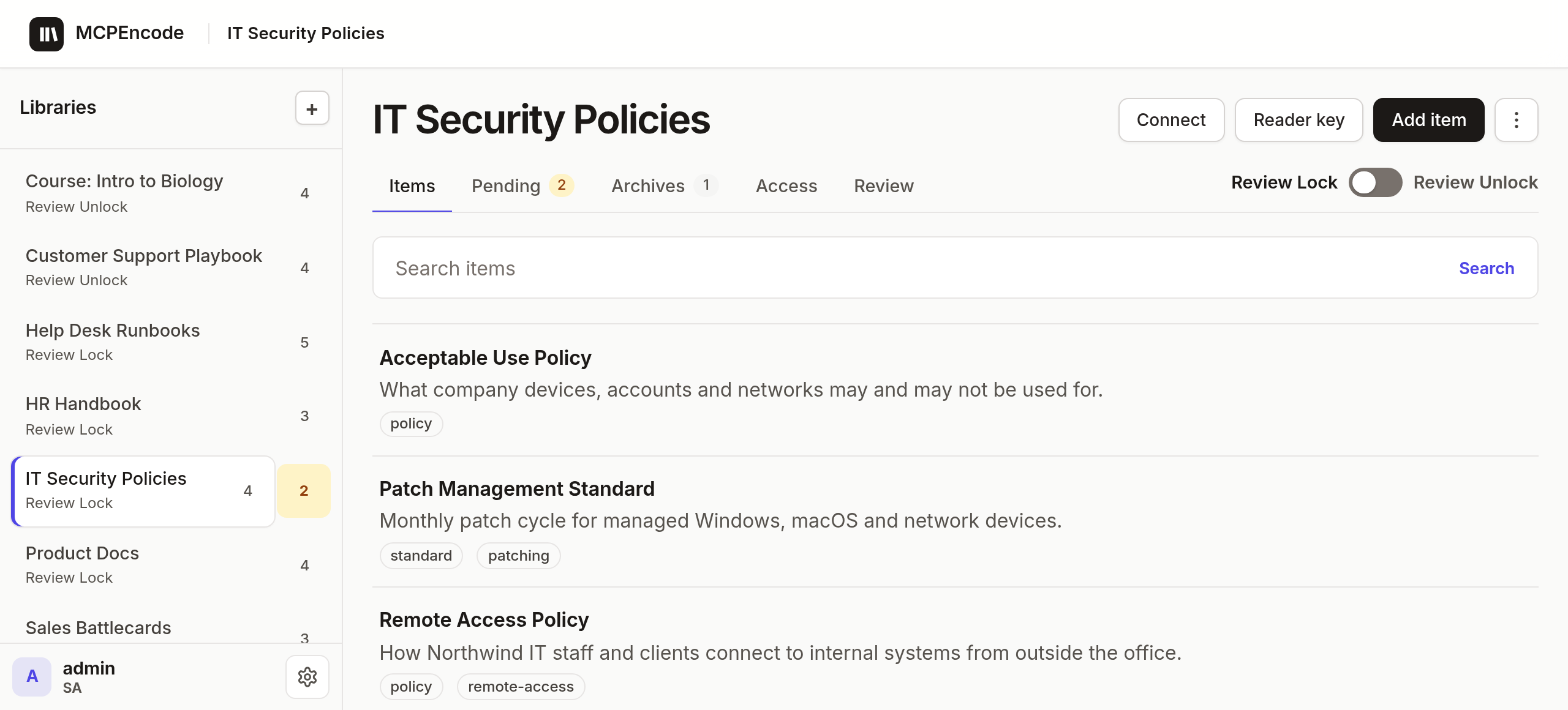
Demo data is fictional.
Works with
MCPEncode stores the facts your agents rely on, like policies, procedures, runbooks and course material, as Items in Libraries. Agents connect to one Library to look Items up and suggest edits. With Review Lock on, those edits wait in Pending until a person publishes them.
Pick a starter (Policy, Procedure, Documents) or Custom. A person approves the schema once.
Paste the Library's Connect link into your MCP client. Sign in, click Allow. That connection sees this one Library only.
create_item / update_item land in Pending under Review Lock. The published version stays live.
A Publisher reviews the diff and Publishes, or Cancels. Readers and agents get the new version only then.
Flip the write mode, then have the agent save an edit.
Waiting for the agent…
Live — what Readers & agents see
Visitor Wi-Fi policy · v1
Pending — Publishers only
—
Each Connect link reaches exactly one Library. Tools on offer depend on the caller's role there: Reader or Publisher.
Clients register themselves, people sign in and click Allow. Or plug in an external OIDC issuer such as Zitadel. Disabling an account takes effect on the next request.
Every answer carries the published version, date, publisher and a link, ready to quote as cite_as. Pending drafts are never cited.
list_audit shows who called which tool in a Library, for Publishers and the Site admin.
Runbooks and policies get a review-by date. Stale answers carry a warning; strict mode refuses them and names the owner. A Review queue has one-click Still accurate.
"We got phished" finds the incident runbook. Agents suggest labels and aliases with suggest_labels; a person approves them like any edit.
| whoami | Identity, library, role |
| list_items | Look up by question or browse; one clear match returns the full published Item |
| open_item | Full Item by id (published version; Publishers may read the draft) |
| search_shelf | Published summaries across the Library's Shelf |
| create_item · update_item | Save to Pending (Review Lock) or publish at once (Review Unlock) |
| suggest_labels | Suggest labels and aliases for a published Item; a person approves |
| delete_item | Remove an Item |
| create_library · propose_table · propose_field | Design a Library; a person approves the schema |
| list_audit | Who called which tool in this Library |
VPN, lockouts, printers, laptop setup. Aliases and typo correction match how users actually ask; a Review queue keeps runbooks current.
Policies with owner, version, effective and review dates. Agents cite the version in force, and strict mode stops them quoting one past review.
The first-hour runbook your agent hands out is the one a person approved, not a draft. Edits wait in Pending.
The same model works for support playbooks, HR handbooks, product docs and course material. Entity keys let repeated syncs update one Item.
Needs Docker with Compose, and openssl.
1. Clone
git clone https://github.com/hkrlogic/MCPEncode.git && cd MCPEncode2. Create .env with fresh secrets (never overwrites a value)
scripts/init-env.sh3. Start the app and Postgres
docker compose up -d --build4. Open http://127.0.0.1:3000/
Create the first account with SETUP_TOKEN from .env. It becomes the Site admin. Add a Library, add an Item, Publish.
Open a Library → Connect → copy the Connect link.
Your client opens a browser to sign in and Allow. Use 127.0.0.1, not localhost.
No. MCP has no publish, approve, write-mode or revert tool. Under Review Lock, a person Publishes in the web UI.
They see the last published version until the edit is Published. Draft text is never returned to them.
Past its review-by date, answers carry a warning naming the owner. Turn on strict mode and agents refuse it instead. The owner clicks Still accurate in the Review queue, or edits and Publishes.
You run it: one Node.js 22 app plus PostgreSQL 16+, via Docker Compose.
Built-in OAuth 2.1 sign-in, or an external OIDC issuer such as Zitadel. A Reader key gives a shared agent read-only access without sign-in.
Rotate it under Connect. The old link stops working; Access grants stay.